
best ai recruiting tools
Best AI Recruiting Tools for Agencies and HR Teams
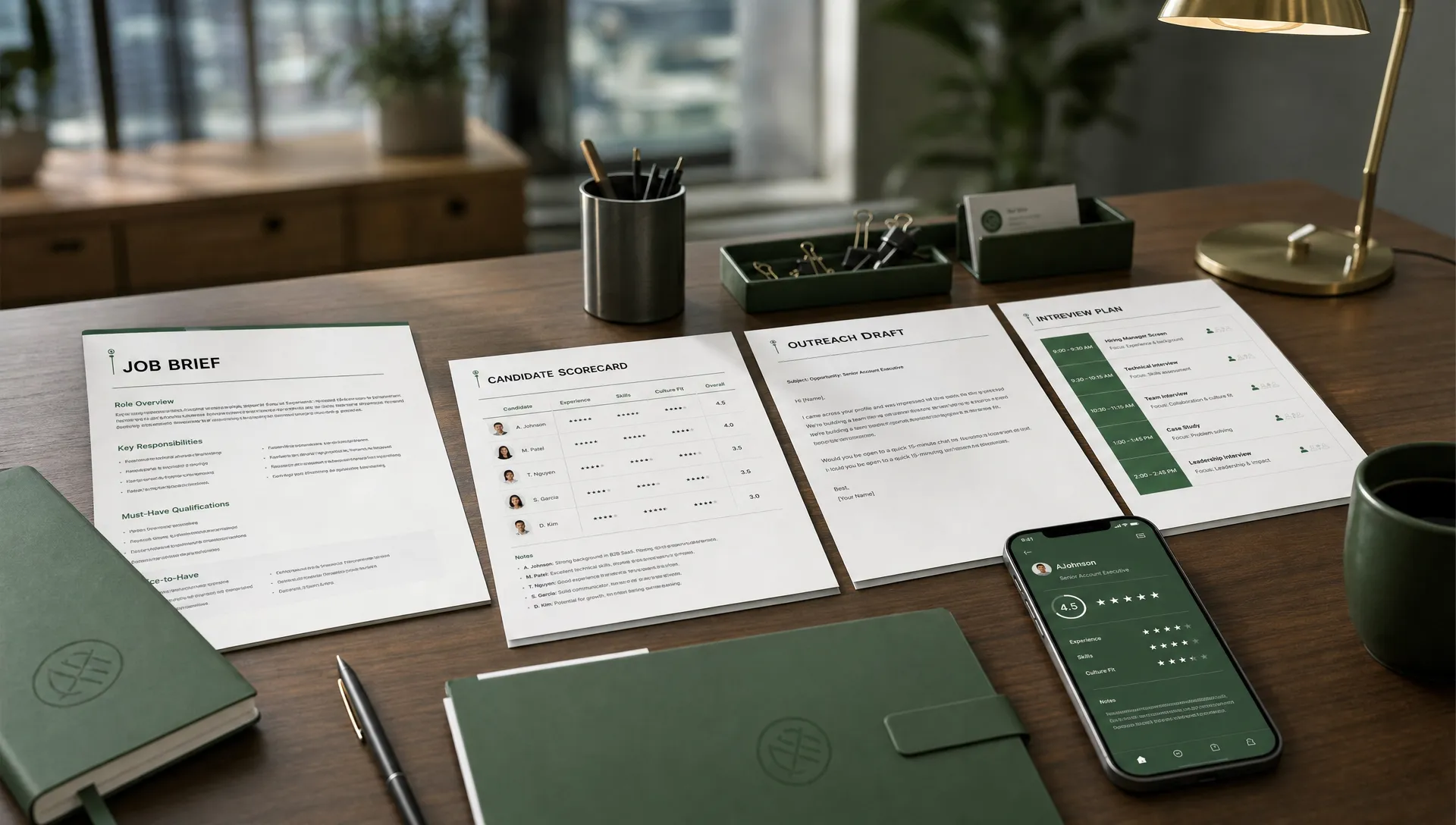
The market for AI recruiting tools has moved far beyond resume keyword matching. Agencies and HR teams now expect AI to help with intake, screening, sourcing, outreach, scheduling, interview documentation, pipeline updates, and candidate communication, without removing recruiter judgment from the process.
That last point matters. The best AI recruiting tools are not the ones that make the most decisions for you. They are the ones that remove repetitive work, surface evidence, improve response speed, and keep humans in control where fairness, brand reputation, and hiring quality are at stake.
This guide compares leading AI recruiting tools by workflow and use case, so you can build a practical shortlist instead of chasing whatever platform has the loudest AI messaging.
What makes an AI recruiting tool worth using?
For agencies, the main pressure is usually speed across multiple clients. Recruiters need to turn client briefs into search criteria, qualify candidates quickly, keep outreach moving, and maintain accurate pipelines across ATS and CRM systems.
For internal HR teams, the pressure is often consistency. Hiring managers need structured screening, compliant workflows, better candidate experience, cleaner interview feedback, and fewer scheduling bottlenecks.
A strong AI recruiting platform should help with:
- Structured job intake, so recruiters and hiring managers align before sourcing starts.
- Evidence-based candidate screening, so scores are explainable instead of mysterious.
- Human-approved outreach, so AI speeds up communication without risking off-brand messages.
- Scheduling automation, so candidate momentum is not lost to calendar coordination.
- Integration with existing systems, so recruiters do not have to copy data across tools.
- Governance and auditability, so AI use can be reviewed, improved, and explained.
If you are still defining your buying criteria, this deeper guide on what to look for in AI recruitment software is a useful companion to the tool comparisons below.
Best AI recruiting tools at a glance
The right tool depends on whether your biggest bottleneck is intake, sourcing, screening, interviews, scheduling, or reporting. Use this table to orient your shortlist before diving into the details.
| Tool | Best fit | Strongest workflow | What to verify before buying |
|---|---|---|---|
| CandiDesk | Agencies and HR teams that want an AI assistant across the hiring workflow | Intake, screening, outreach drafting, calls, scheduling, pipeline updates | ATS and CRM fit, approval workflow, data handling needs |
| Paradox | High-volume and frontline hiring teams | Conversational candidate engagement and scheduling | Role complexity, localization, integration depth |
| HireVue | Teams with structured interview and assessment programs | Video interviews, assessments, candidate evaluation | Assessment validity, candidate experience, compliance process |
| Eightfold AI | Enterprise talent intelligence teams | Talent matching, internal mobility, workforce intelligence | Implementation scope, data readiness, change management |
| SeekOut | Sourcing teams and recruiters filling hard-to-find roles | Talent search, sourcing intelligence, outreach support | Data coverage, CRM workflow, regional availability |
| Gem | Recruiting teams focused on outbound and CRM analytics | Outreach sequences, talent CRM, pipeline visibility | ATS sync, reporting needs, sequence governance |
| Metaview | Teams that want better interview notes and feedback consistency | AI interview notes, summaries, structured feedback | Consent process, meeting tool compatibility, data policy |
| Ashby | Scaling companies wanting ATS, CRM, analytics, and automation together | All-in-one recruiting operations | Migration effort, feature fit, pricing structure |
| Greenhouse | Organizations prioritizing structured hiring in an established ATS | ATS workflows, interview kits, reporting, integrations | AI feature set, add-ons, integration requirements |
1. CandiDesk, best for AI-assisted recruiting from intake to scheduling
CandiDesk is built for agencies and HR teams that want AI support across the messy middle of recruiting, not just one isolated task. It can help turn client briefs into structured intake, screen candidates with supporting evidence, draft outreach for human approval, support AI chat and voice calls, automate interview scheduling, and keep pipeline and calendar information in sync.
That makes it especially relevant for recruiters who lose time moving between intake notes, candidate profiles, email drafts, scheduling threads, and ATS updates. Instead of relying on AI as a black box, CandiDesk keeps recruiters in control by requiring human approval before messages are sent.
For agencies, this can help standardize delivery across clients while still preserving recruiter judgment. For HR teams, it can improve consistency across roles, hiring managers, and candidate communication.
CandiDesk is a strong shortlist option if your biggest challenge is not just finding candidates, but keeping the entire workflow moving once candidates are in play.
2. Paradox, best for high-volume candidate conversations
Paradox is often associated with conversational recruiting, especially for high-volume hiring environments. Its assistant-style experience is designed to answer candidate questions, collect basic information, and help schedule interviews.
This type of tool can be particularly useful for retail, hospitality, logistics, healthcare support roles, and other teams that handle large applicant volumes. In these settings, candidates often expect fast responses and may drop off if the next step is unclear.
Paradox is less about deep recruiter research and more about keeping candidates engaged at scale. If your team struggles with missed follow-ups, manual screening questions, or interview scheduling for hourly roles, it deserves a look.
The key buying question is whether your hiring volume and candidate journey justify a conversational automation layer. For complex professional roles, you may still need complementary sourcing, assessment, or recruiter workflow tools.
3. HireVue, best for structured interviews and assessments
HireVue is a well-known platform for video interviewing, assessments, and structured candidate evaluation. It is often considered by organizations that need to standardize early-stage interviews or support high-volume screening programs.
The value of a tool like HireVue depends heavily on implementation. Structured interviews can improve consistency, but teams need to define relevant competencies, communicate clearly with candidates, and review assessment design carefully.
HireVue may be a fit if your organization already has a mature selection process and wants to make interviews more consistent across locations, hiring managers, or business units. It may be less ideal if your core issue is intake quality, outbound sourcing, or recruiter capacity before the interview stage.
Before adopting any assessment-heavy tool, involve talent acquisition, legal, compliance, and hiring teams early. The goal is not just faster screening, but a process that is job-relevant, explainable, and fair.
4. Eightfold AI, best for enterprise talent intelligence
Eightfold AI focuses on talent intelligence, including candidate matching, workforce insights, internal mobility, and skills-based talent planning. It is commonly considered by larger organizations that want to use AI across recruiting and broader talent strategy.
This makes Eightfold a different type of platform from a recruiting assistant or scheduling tool. Its value increases when an organization has enough employee, applicant, role, and skills data to support meaningful recommendations.
For enterprise HR teams, Eightfold can be relevant when recruiting is connected to retention, mobility, succession planning, and workforce transformation. For smaller teams or agencies, the scope may be broader than necessary unless there is a specific enterprise client need.
The main evaluation point is data readiness. Talent intelligence tools work best when role architecture, skills data, and system integrations are mature enough to support reliable insights.
5. SeekOut, best for sourcing hard-to-find talent
SeekOut is widely used by sourcing and recruiting teams that need to identify talent across public profiles, professional networks, and talent pools. It is especially relevant for technical, specialized, and competitive roles where inbound applicants are not enough.
AI can support sourcing by helping recruiters discover related skills, broaden searches, and identify candidate profiles that might otherwise be missed. The benefit is not just volume, but better search strategy.
SeekOut can be a strong fit for agencies working on niche roles or internal teams competing for scarce talent. It may be most valuable when paired with a clear outreach process, since finding candidates is only one part of converting them.
Some agencies also support recruitment marketing campaigns outside the ATS. For example, teams that combine candidate outreach with print, postal, or brand campaigns may use an omni-channel direct mail automation platform alongside their recruiting stack rather than trying to force that work into an ATS.
6. Gem, best for outbound recruiting and CRM visibility
Gem is often used by teams that want stronger talent CRM workflows, outbound sequencing, pipeline analytics, and visibility into recruiter activity. It can help teams manage long-term relationships with prospects before they apply.
This is useful for both agencies and internal teams with proactive sourcing motions. If recruiters are sending outreach from multiple inboxes, tracking responses in spreadsheets, or losing visibility after first contact, a CRM-focused tool can create needed structure.
Gem is strongest when your team already knows who it wants to reach and needs better execution around campaigns, follow-ups, and reporting. It is not a replacement for structured intake or candidate screening, but it can complement those workflows well.
When evaluating Gem or any recruiting CRM, pay attention to ATS synchronization, permissioning, sequence controls, and reporting. These details determine whether the tool improves recruiter productivity or simply adds another place to maintain data.
7. Metaview, best for interview notes and feedback quality
Metaview focuses on AI-generated interview notes, summaries, and recruiting workflow documentation. It can help interviewers and recruiters spend less time writing notes and more time listening to candidates.
This category is valuable because interview feedback is often one of the least consistent parts of hiring. Notes may be incomplete, biased toward memory, or too vague to support a clear decision. AI note support can improve documentation, but only if the team has a clear consent process and structured evaluation criteria.
Metaview is a good fit when interview volume is high, hiring managers are inconsistent with feedback, or recruiters spend too much time chasing interview documentation. It pairs well with interview kits and scorecards.
The key is to avoid treating summaries as final judgment. AI can help capture and organize information, but hiring teams should still evaluate candidates against job-related criteria.
8. Ashby, best for scaling teams that want recruiting operations in one system
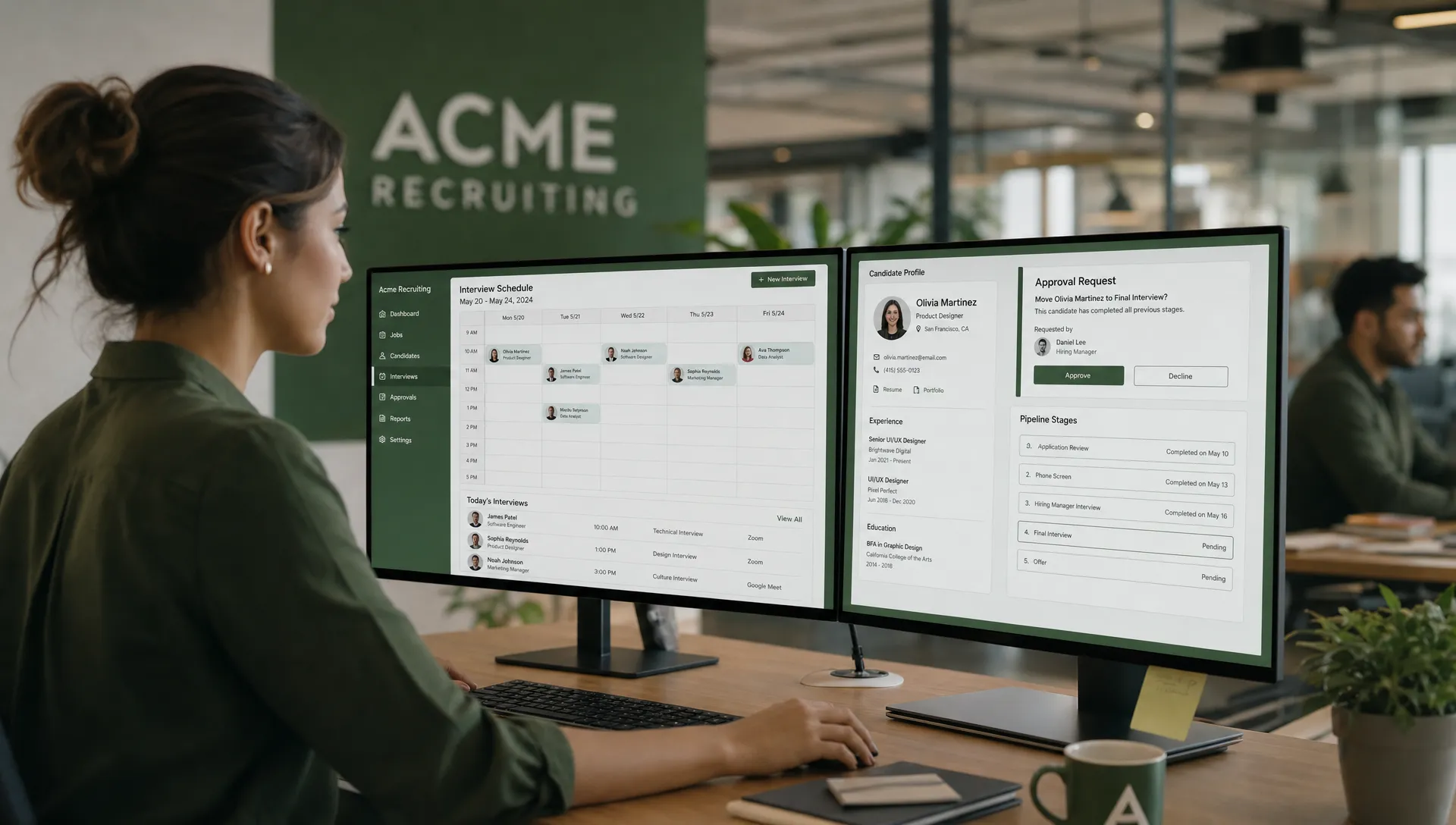
Ashby combines ATS, CRM, scheduling, analytics, and automation capabilities in a single recruiting platform. It is often considered by scaling companies that want a modern recruiting operating system rather than a collection of disconnected tools.
For HR teams, the appeal is having pipeline data, interviews, approvals, reporting, and candidate communication in one place. For agencies, Ashby may be relevant if the agency operates embedded recruiting programs or manages complex internal-style hiring workflows for clients.
Ashby can be a strong option when the team is ready to rethink recruiting operations as a whole. It may require more process change than adding a point solution, but the payoff can be cleaner data and better visibility.
Before choosing any all-in-one platform, map your current workflow carefully. Migration, hiring manager adoption, integrations, and reporting needs will matter as much as the AI feature set.
9. Greenhouse, best for structured hiring within an established ATS ecosystem
Greenhouse is a mature ATS known for structured hiring workflows, interview kits, scorecards, approvals, integrations, and reporting. Many organizations consider it when they want stronger process discipline across hiring teams.
Greenhouse may not be the first tool that comes to mind when people search for AI recruiting tools, but established ATS platforms increasingly add AI-supported features and partner integrations. For teams that already use Greenhouse, the best path may be extending the existing ecosystem rather than replacing the core ATS.
This is particularly relevant for HR teams that need consistent hiring manager participation, structured interviews, and compliance-friendly documentation. Agencies may use Greenhouse less often as their central system unless they operate on behalf of clients with Greenhouse environments.
The main question is whether Greenhouse is your workflow foundation or whether your team needs an AI assistant layer that sits across ATS, CRM, calendar, and communication tools.
Which AI recruiting tool should you choose?
The best tool is the one that fits your bottleneck. A sourcing platform will not fix poor job intake. An interview intelligence tool will not solve slow candidate outreach. An ATS will not automatically make recruiters faster if data entry and scheduling are still manual.
Use this practical decision matrix to narrow your shortlist.
| If your main problem is... | Prioritize this capability | Tools to compare first |
|---|---|---|
| Client briefs are vague or inconsistent | Smart intake and role alignment | CandiDesk, Ashby, Greenhouse |
| Recruiters spend too much time screening | Evidence-based candidate scoring | CandiDesk, HireVue, Eightfold AI |
| Candidates drop off before interviews | Fast chat, calls, and scheduling | CandiDesk, Paradox |
| Niche talent is hard to find | Sourcing intelligence and talent search | SeekOut, Gem |
| Outreach is inconsistent | Human-approved drafting and CRM workflows | CandiDesk, Gem |
| Interview feedback is incomplete | AI notes and structured feedback | Metaview, HireVue, Greenhouse |
| Leadership needs better pipeline visibility | Reporting and system synchronization | Ashby, Gem, Greenhouse, CandiDesk |
| Enterprise talent strategy is the goal | Talent intelligence and skills data | Eightfold AI |
If you are primarily trying to understand where AI creates speed in the recruiting process, this article on how AI in recruitment helps teams hire faster explains the workflow impact in more detail.
Evaluation checklist for agencies and HR teams
A polished demo can make almost any AI recruiting tool look impressive. A better evaluation starts with real hiring scenarios and actual constraints.
Before committing, ask each vendor to walk through a recent role from your own workflow. Include intake notes, candidate profiles, outreach examples, interview scheduling, and pipeline updates. The goal is to see how the tool performs when the data is imperfect, the role is nuanced, and recruiters need control.
Key questions to ask include:
- Can the AI explain why a candidate was scored or recommended?
- Can recruiters edit and approve messages before they are sent?
- Does the tool support your ATS, CRM, calendar, email, and communication stack?
- How does the platform handle consent, data retention, and candidate privacy?
- Can workflows be configured by role, client, region, or hiring team?
- What happens when AI confidence is low or information is missing?
- Can recruiters override AI suggestions and record why?
- How are bias, accuracy, and performance monitored over time?
For agencies, also evaluate multi-client usability. A tool that works for one hiring team may struggle when recruiters handle several clients, brands, job types, and approval paths.
For HR teams, focus on change management. Hiring managers need to understand how AI supports their workflow, what they still own, and how candidate decisions are documented.
Compliance and governance should not be an afterthought
AI in recruiting touches sensitive decisions. That means speed has to be balanced with transparency, fairness, and accountability.
In the United States, the EEOC has published guidance on how employers should think about software, algorithms, and artificial intelligence in employment selection, including the risk of adverse impact. In the EU and other markets, AI governance expectations continue to expand, especially for employment-related systems.
Practical governance does not need to slow recruiters down. It should make good hiring easier to repeat. At minimum, teams should define where AI can assist, where human approval is required, how candidate data is handled, and how outputs are reviewed.
Good governance also improves candidate trust. Candidates do not need a technical explanation of every model, but they do deserve a process that is relevant, respectful, and accountable.
If you are building internal standards, CandiDesk's guide to AI hiring best practices for agencies and HR teams is a helpful next step.
How to roll out AI recruiting tools without creating more work
The safest way to implement AI recruiting software is to start with one workflow that is painful, measurable, and frequent. Scheduling, outreach drafting, screening documentation, or interview note capture are often better starting points than a full recruiting transformation.
Define the baseline first. How long does screening take today? How many candidates fail to schedule? How often do recruiters chase hiring managers for feedback? What percentage of outreach needs rewriting? Without a baseline, it is hard to know whether the tool is truly helping.
Next, run a controlled pilot. Use a small set of roles, a defined recruiter group, and agreed success metrics. Review candidate experience, recruiter adoption, hiring manager feedback, and data quality.
Finally, expand only after the workflow is stable. Many AI recruiting projects fail because teams buy a broad platform but do not redesign the process around it. The best implementations make the recruiter workflow simpler, not more fragmented.
Frequently Asked Questions
What is the best AI recruiting tool overall? There is no single best tool for every team. CandiDesk is strong for agencies and HR teams that want AI assistance across intake, screening, outreach, calls, scheduling, and pipeline updates. Paradox is strong for high-volume candidate conversations, Eightfold AI for enterprise talent intelligence, SeekOut for sourcing, and Metaview for interview notes.
Are AI recruiting tools only for large companies? No. Large enterprises may use AI for workforce intelligence and structured selection, but agencies and smaller HR teams can benefit from automation in intake, screening, outreach, scheduling, and candidate follow-up. The key is choosing a tool that fits your workflow size and complexity.
Can AI recruiting tools replace recruiters? They should not replace recruiter judgment. The most useful tools reduce repetitive work, organize evidence, and speed up communication while keeping humans responsible for decisions, candidate relationships, and hiring strategy.
How should agencies evaluate AI recruiting tools differently from HR teams? Agencies should prioritize multi-client workflows, fast intake, candidate screening evidence, outreach approval, CRM and ATS integrations, and consistent delivery across recruiters. HR teams should prioritize structured hiring, hiring manager adoption, compliance, candidate experience, and reporting.
What is the biggest risk when adopting AI in recruitment? The biggest risk is using AI outputs without enough context, review, or governance. Teams should require explainable recommendations, human approval for sensitive actions, clear data handling, and regular review for accuracy and fairness.
Build a recruiting stack that works with recruiters, not around them
The best AI recruiting tools make hiring faster because they remove friction from the process recruiters already manage every day. They do not ask teams to trust a black box. They help recruiters intake roles clearly, screen with evidence, communicate faster, schedule smoothly, and keep systems updated.
If you want an AI-first recruiting platform built for agencies and HR teams, start with CandiDesk. It supports intake, candidate screening, human-approved outreach drafting, AI chat and voice calls, interview scheduling automation, pipeline sync, and integrations with existing recruiting tools, so your team can move faster while staying in control.

Nikon Mazur
Nikon is a recruiting technology specialist with over five years of hands on experience building HR and hiring software, and the co founder of CandiDesk.
LinkedIn Profile